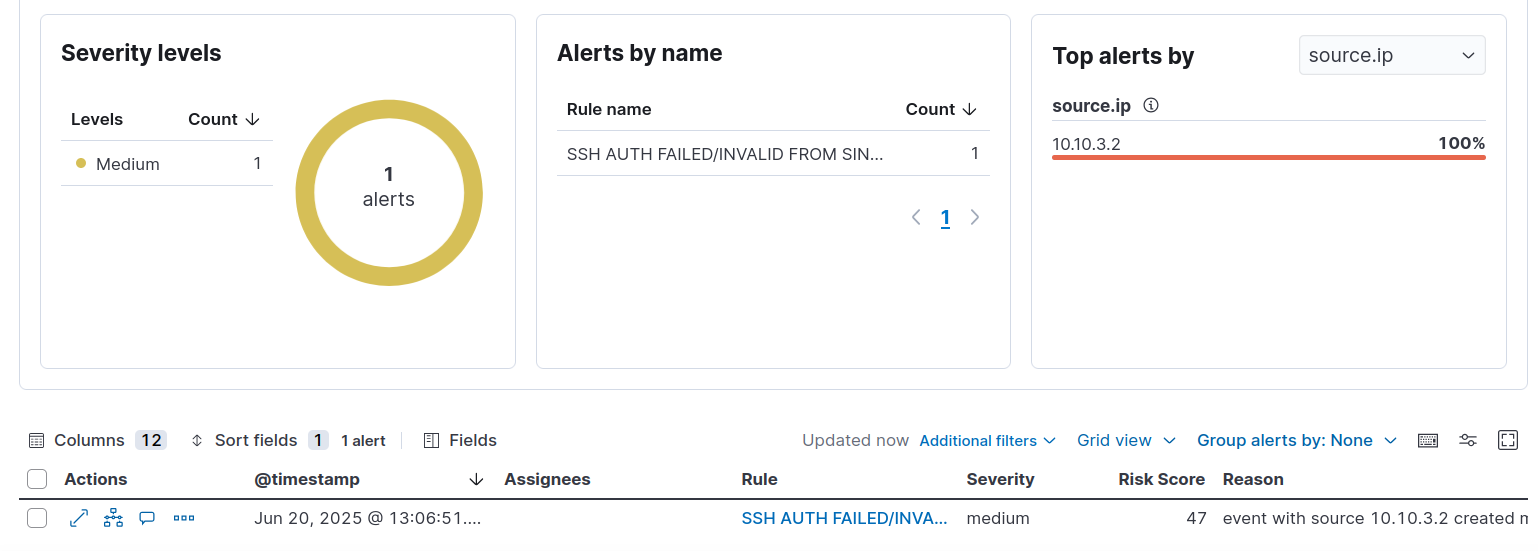
Generate SSH Failed Login Attempt Alert on Elastic Security
| Machine | IP |
|---|---|
| Victim | 10.10.30.102 |
| Attacker | 10.10.3.2 |
Create Detection Rule
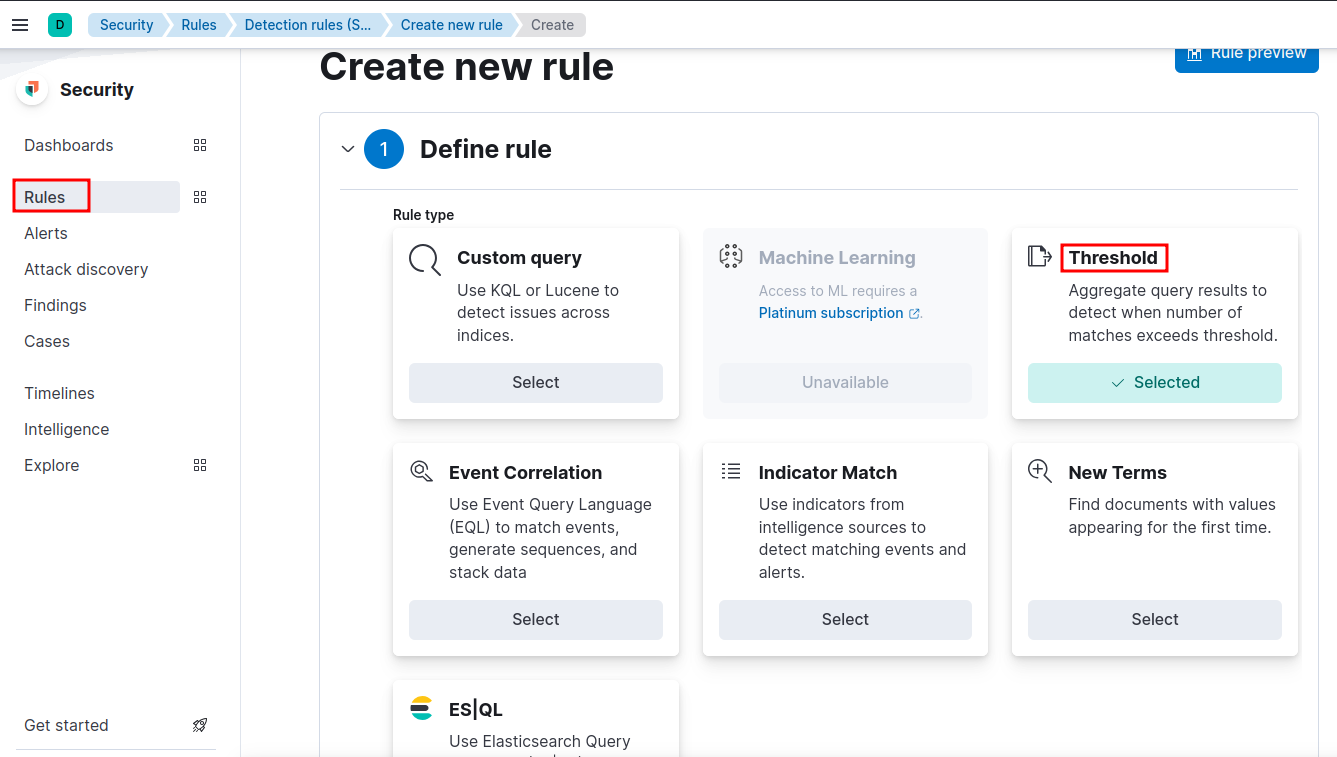
- Choose Threshold under Define rule.
- Under Source choose Data View and choose
logs-*under that as shown below.
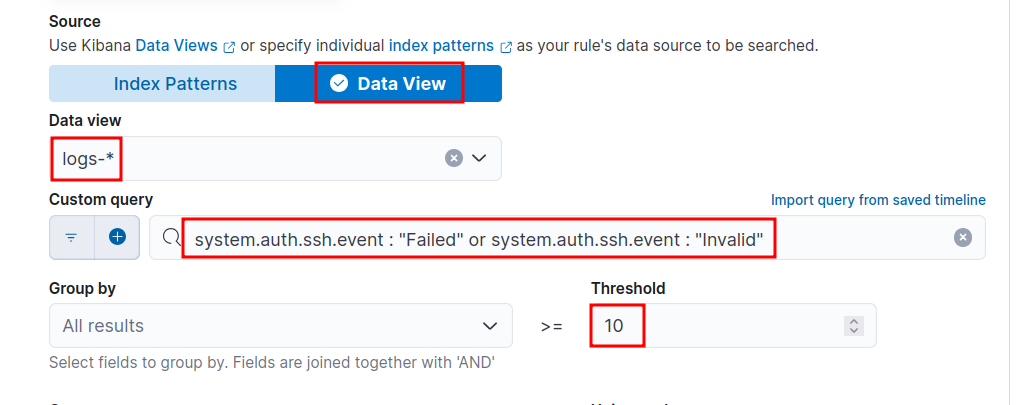
- Use the below KQL query to query failed or invalid ssh auth events.
- Group by
source.ip, i.e., from where ssh auth request is orginating from. - Set Threshold value as
10, i.e., if there are 10 or more failed/invalid auth events, then a alert will be triggered.
system.auth.ssh.event : "Failed" or system.auth.ssh.event: "Invalid"
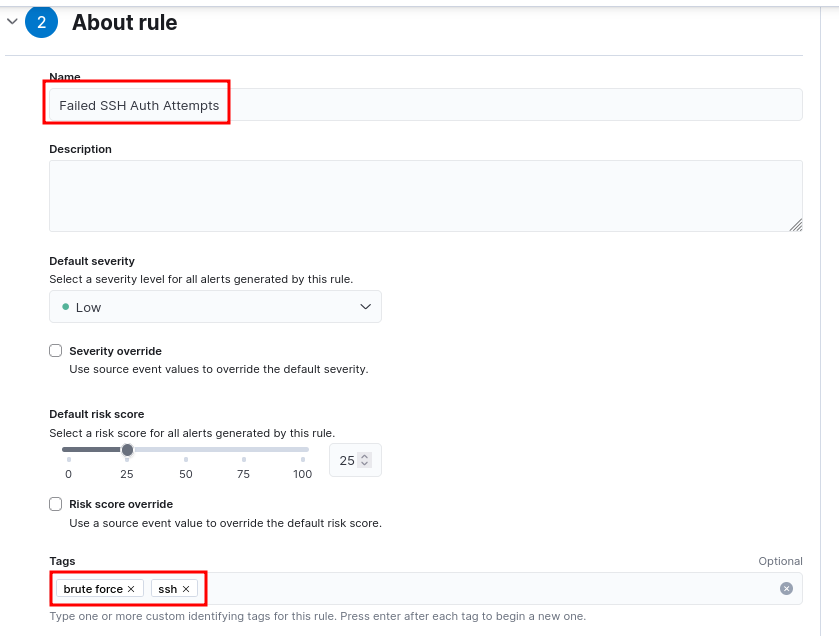
- Continue to the next section. Fill the details as appropriate.

Simulate attack
medusa -h 10.10.30.102 -u testuser -P passwords.txt -M ssh
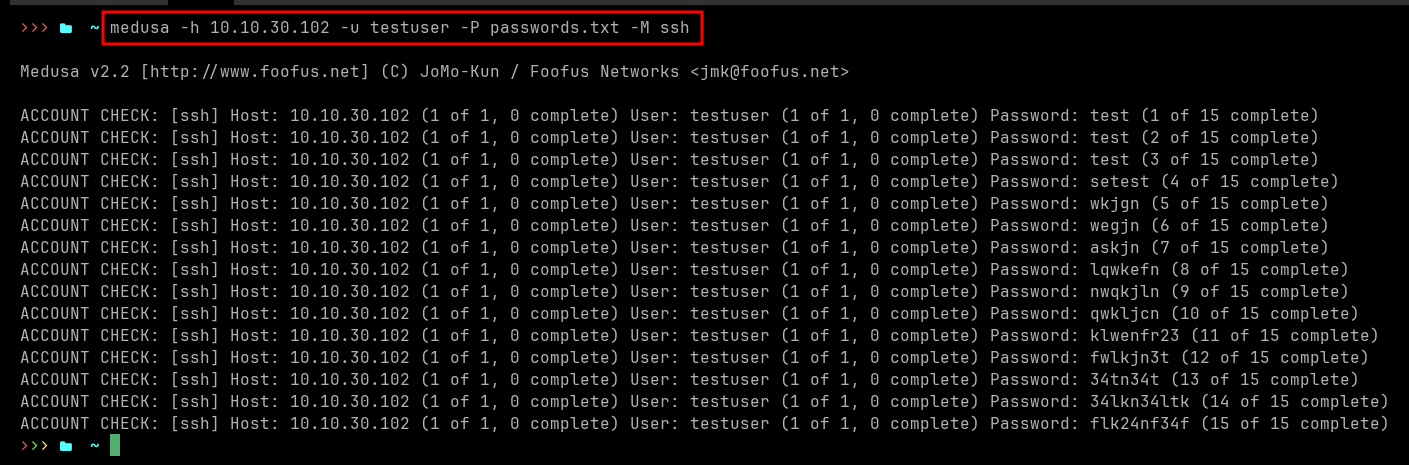
Note: The victim machine must send logs to Elastic (via elastic agent) for alert generation.
Detection
- Wait 5 min after simulating the attack and navigate to Elastic Security